SHADOW TUTE

(more info below)


How would you like to make
this page and image?
IT IS A SIMPLE IDEA BUT NEW TO ME.I THOUGHT IT MIGHT BE NEW TO YOU ALSO.

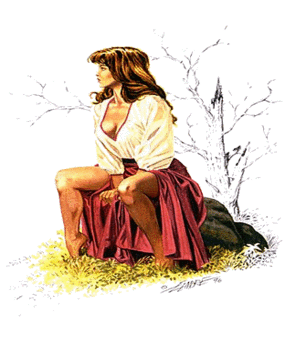
Image
I took this image gif size 285X350
To Webfx select fade__high__ Transload.
out put...
will now be a .jpg. ~here~
*NOTE*you also can pick#'s
from 1-100 for more subtle
or bold fade.* .................................................... Take to IM.~here~ input--view Go to composite
.Enter original
~Image~
center...atop...+50+55 click

pick DECORATE <8x8 color=darkolive green border..click
decorate 14x14 color=firebrick
border click
decorate 8x8 color=darkolivegreen
border click
I went to transform
picked flop.
I was told that people
should look to the right.
I agree.Up to you though.
annonate
I resized to 285x350.
That size seems to fit well
in this kind of page.
Optimize if you want.
No lower than quality 30.
The bg for this page I Cropped from another image.

~bg~

goldtile bar
SOLID COLOR=#912034

Please transload these to your own site.
optional=I also made one with multiply.

*Since making the original tute I have found that if you take a gif or jpg with white bg, take a color block(white) and resize 285x350 then composite top right output,then go to webfx and continue instructions above.use multiply to composite.
This SHADOW technique has a few more unexpected twist in it.Not all gifs work on top each other and need more room.I hope this makes some sense to you. You must fiddle with it more. dj


you might like this look better. Same image as above but
The coordinates are different than other one.
~Here~composite-multiply
-30+65 click

Thanks and enjoy.

Dojean @coolbreeze design@2003

Text Shadow by Lady Timeless

•Ms V's Drop Shadow

•Lacey's fxshadow

•Lacey's soft shadow

•Misted Clone•